10-Inch 2U Dual Cooling Fan Panel
- SKU: DR-0006
Description
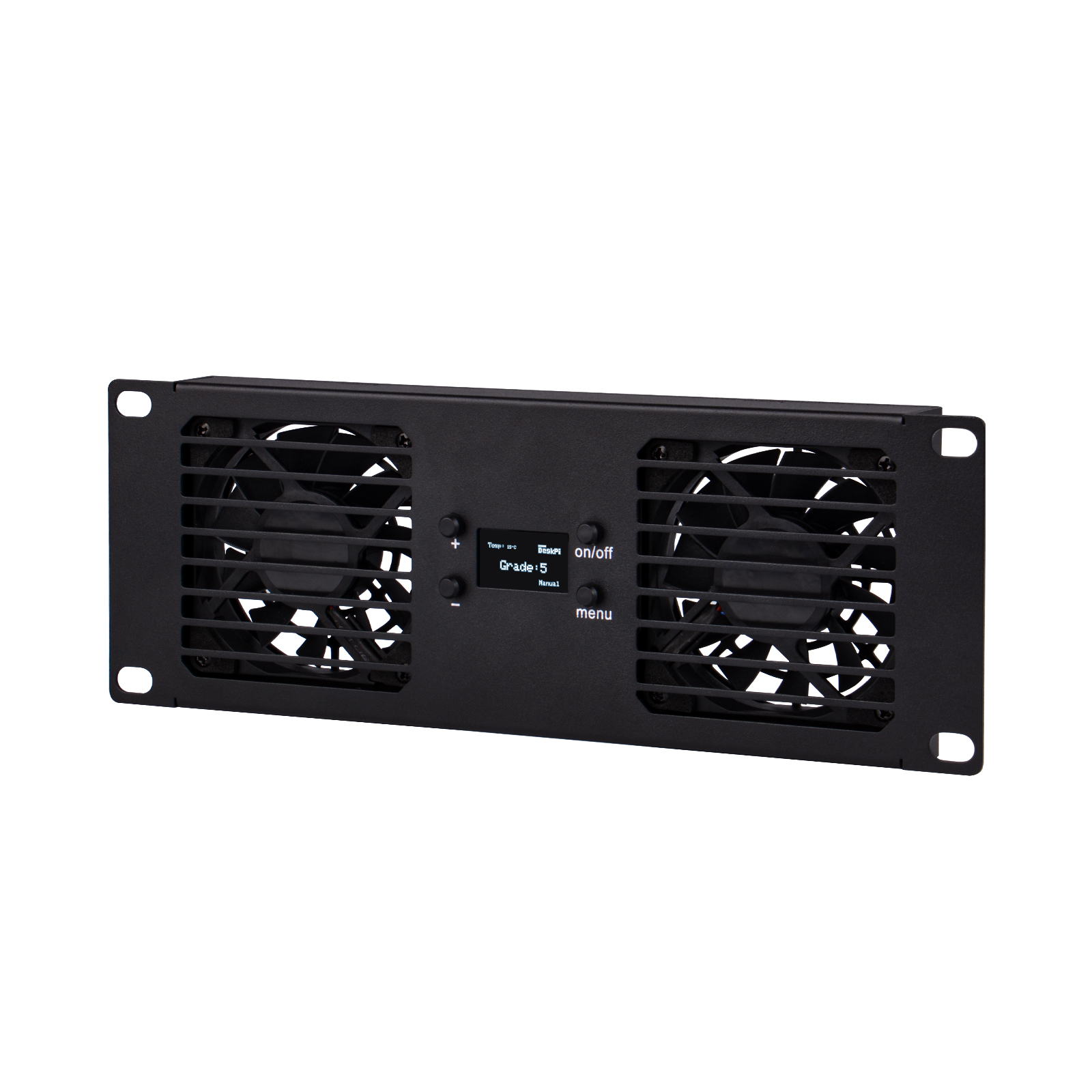
10-Inch 2U Rackmount Dual Fan Cooling Panel is an active cooling module with a 2U height, specifically designed for 10-inch rack systems.
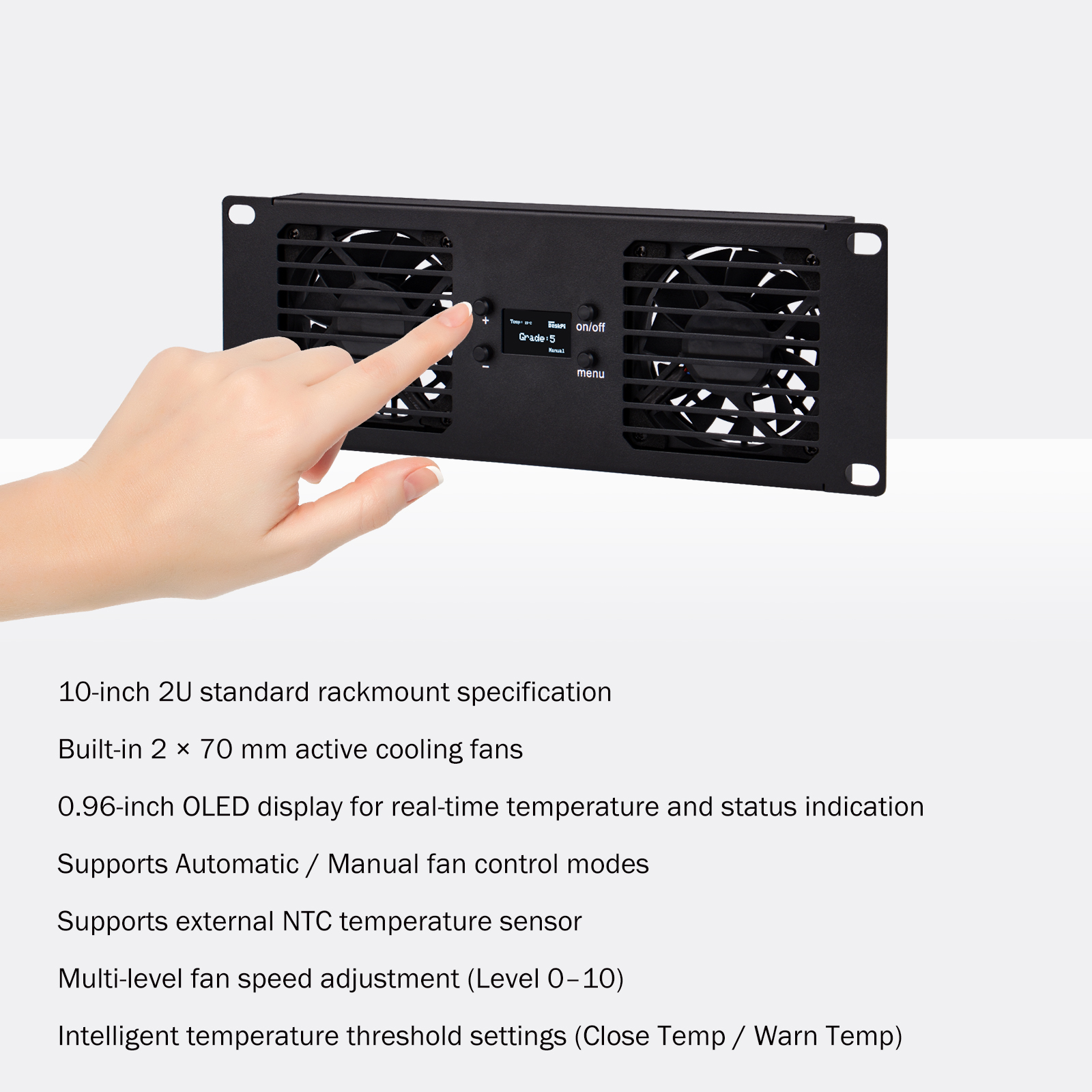
This product is equipped with two 70 mm axial cooling fans and integrates temperature sensing and an intelligent control circuit. It supports two fan control modes: Automatic and Manual.
The system dynamically adjusts fan speed according to the operating temperature, improving airflow inside the cabinet and reducing equipment temperature, thereby enhancing overall system stability and reliability.
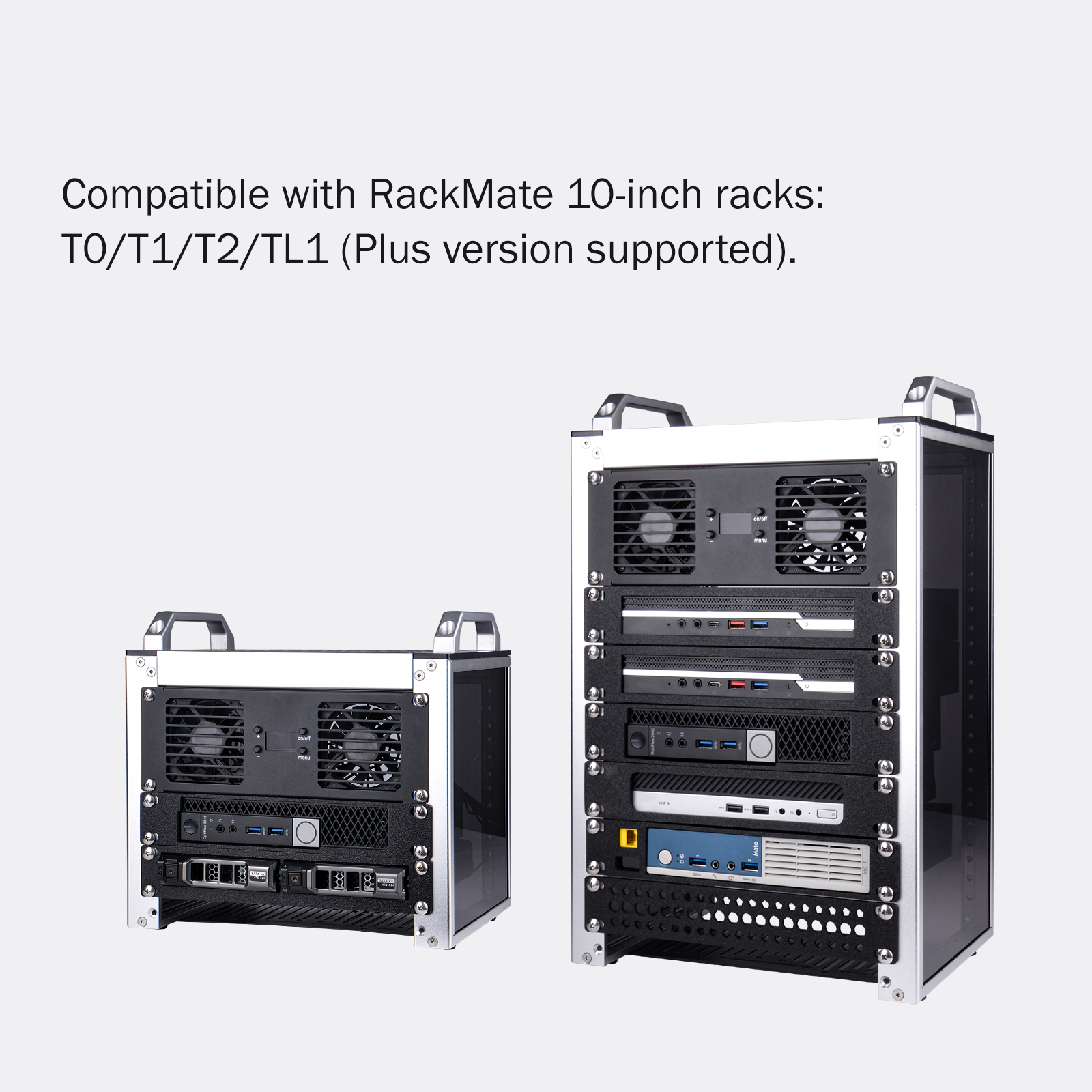
The panel dimensions are fully compatible with the RackMate 10-inch rack series: T0 / T1 / T2 / TL1
Product Features
Accessory List
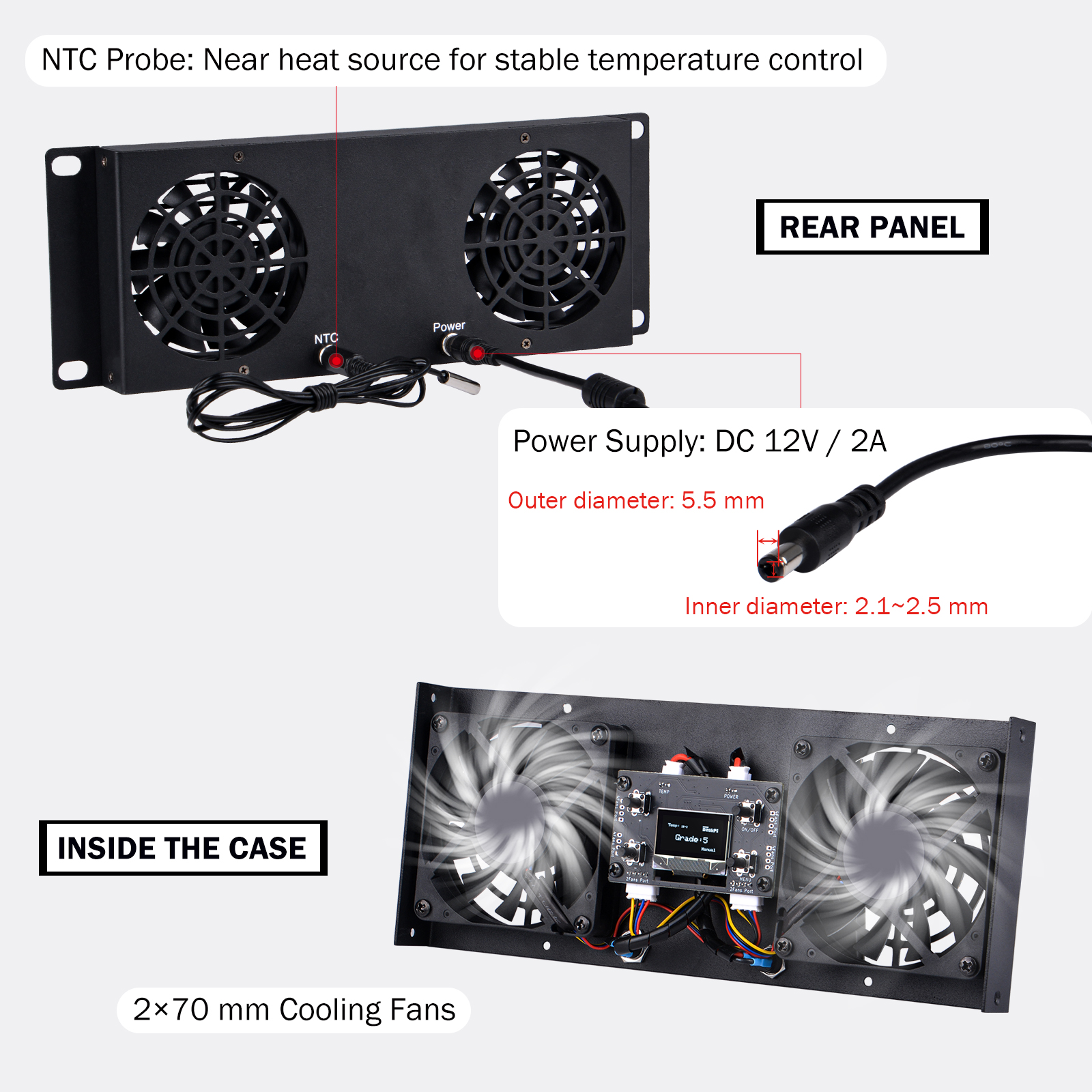
Connector Description
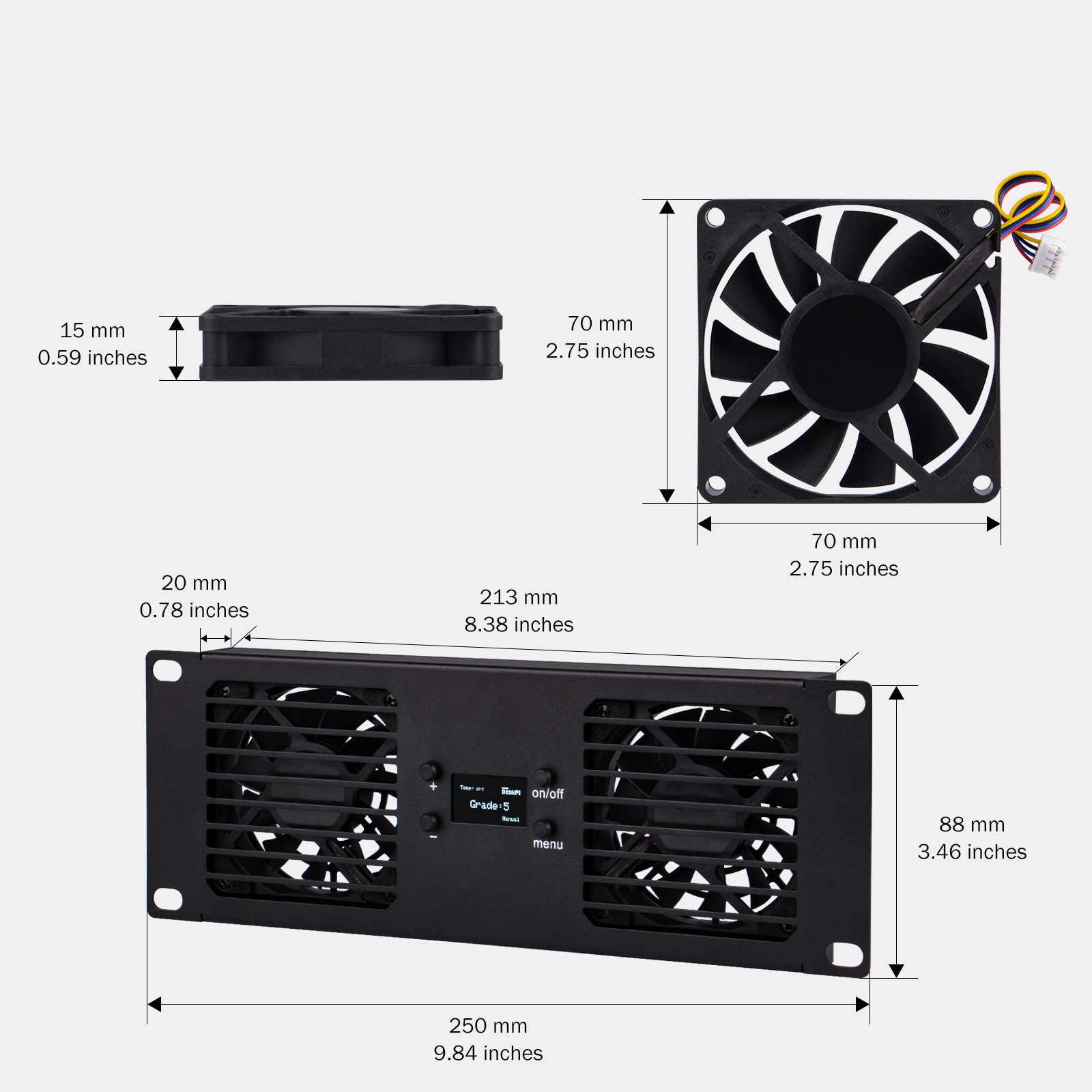
Product Dimension
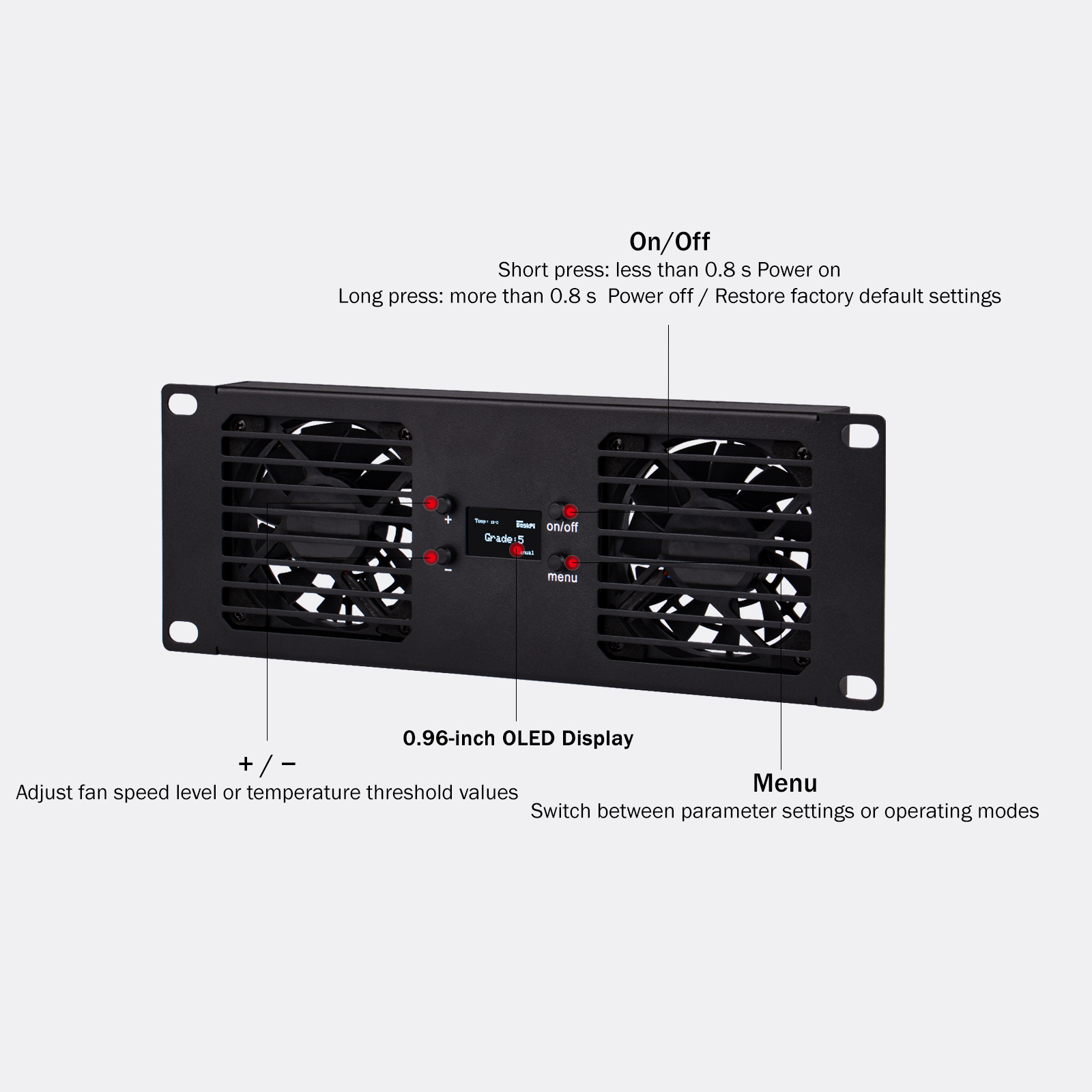
Button Functions
Rack Compatibility of the Fan Panel
T1 Plus Rack with Fan Panel
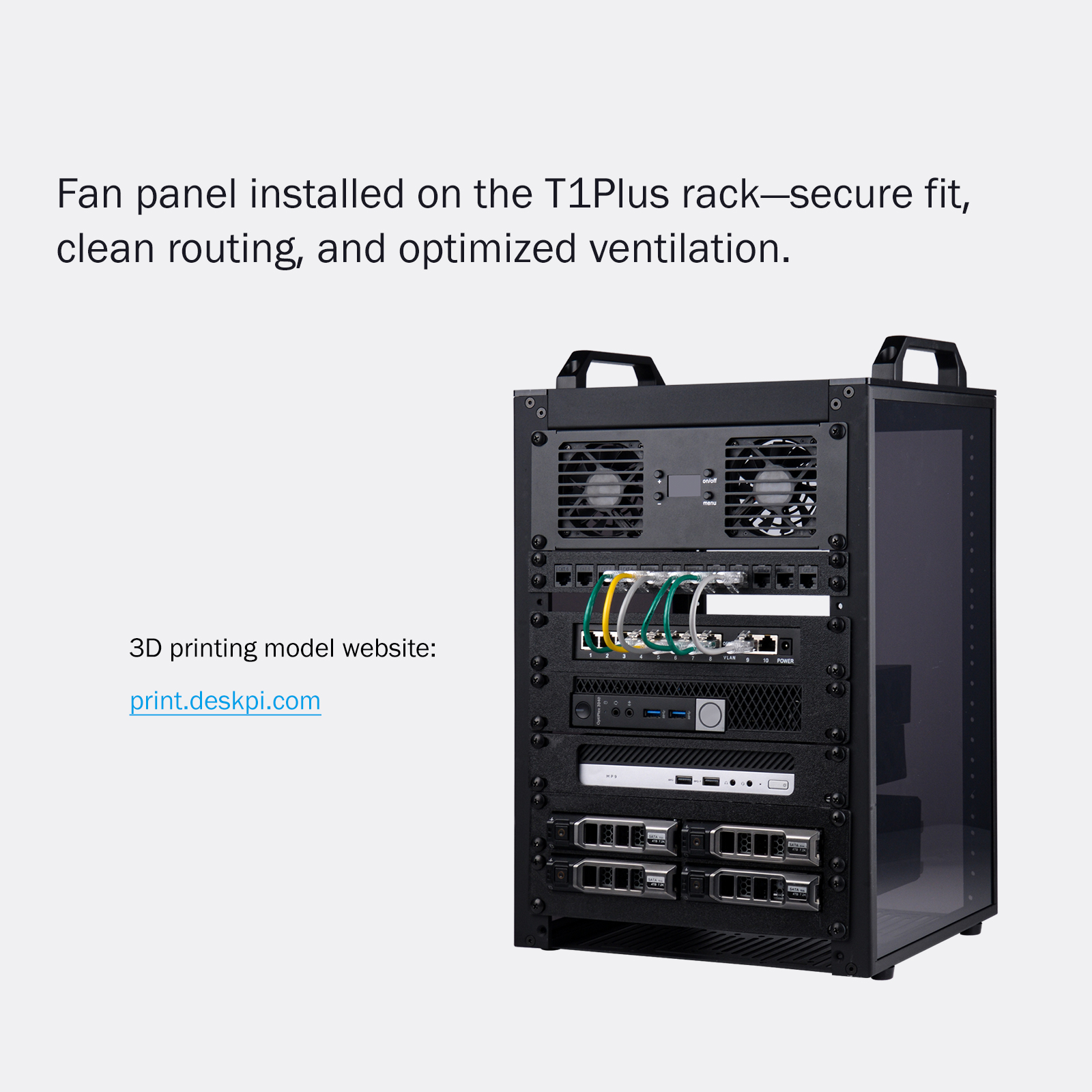
3D-printed model website: print.deskpi.com
DC Specification
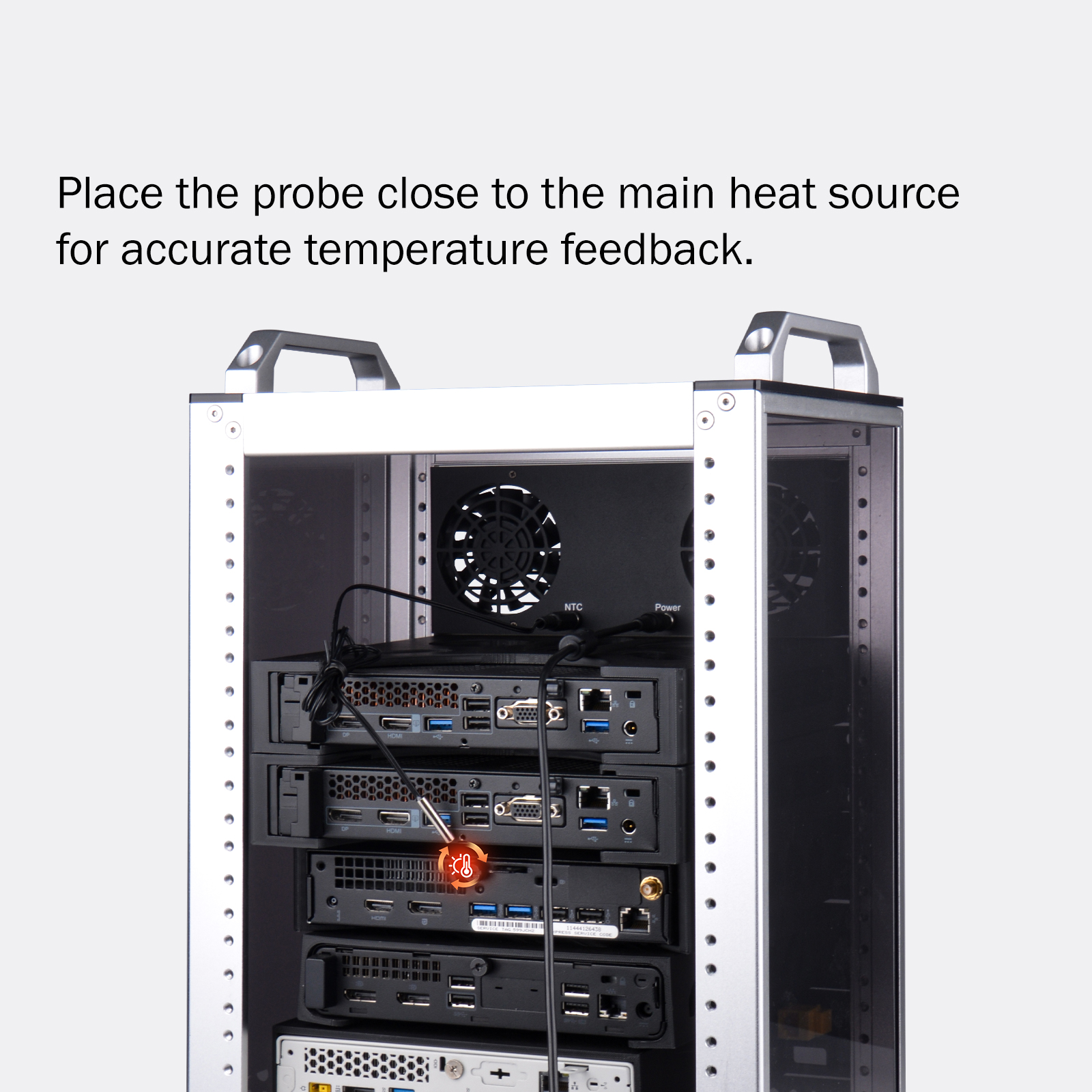
NTC Sensor Placement
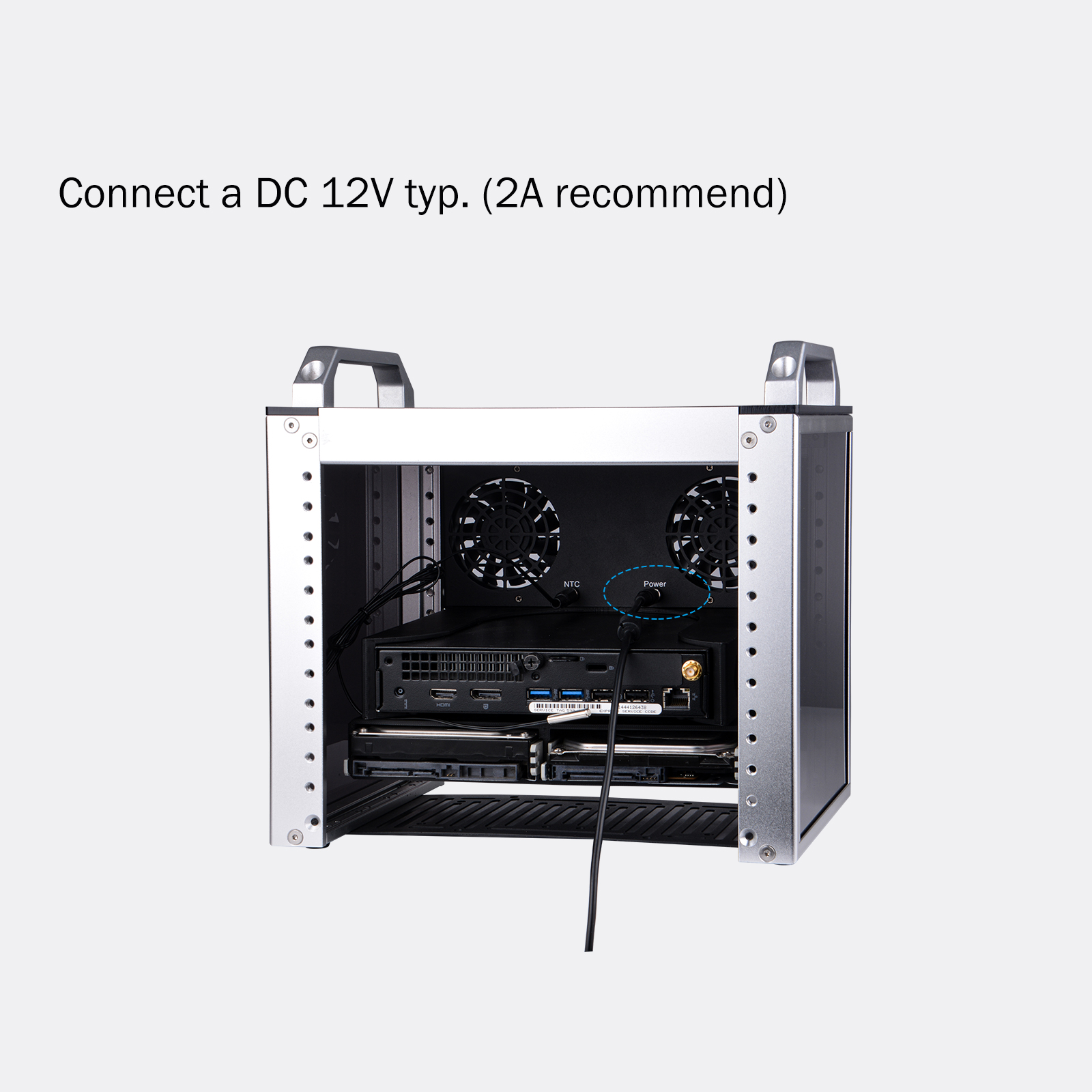
Power Connection
Fan Operating Modes
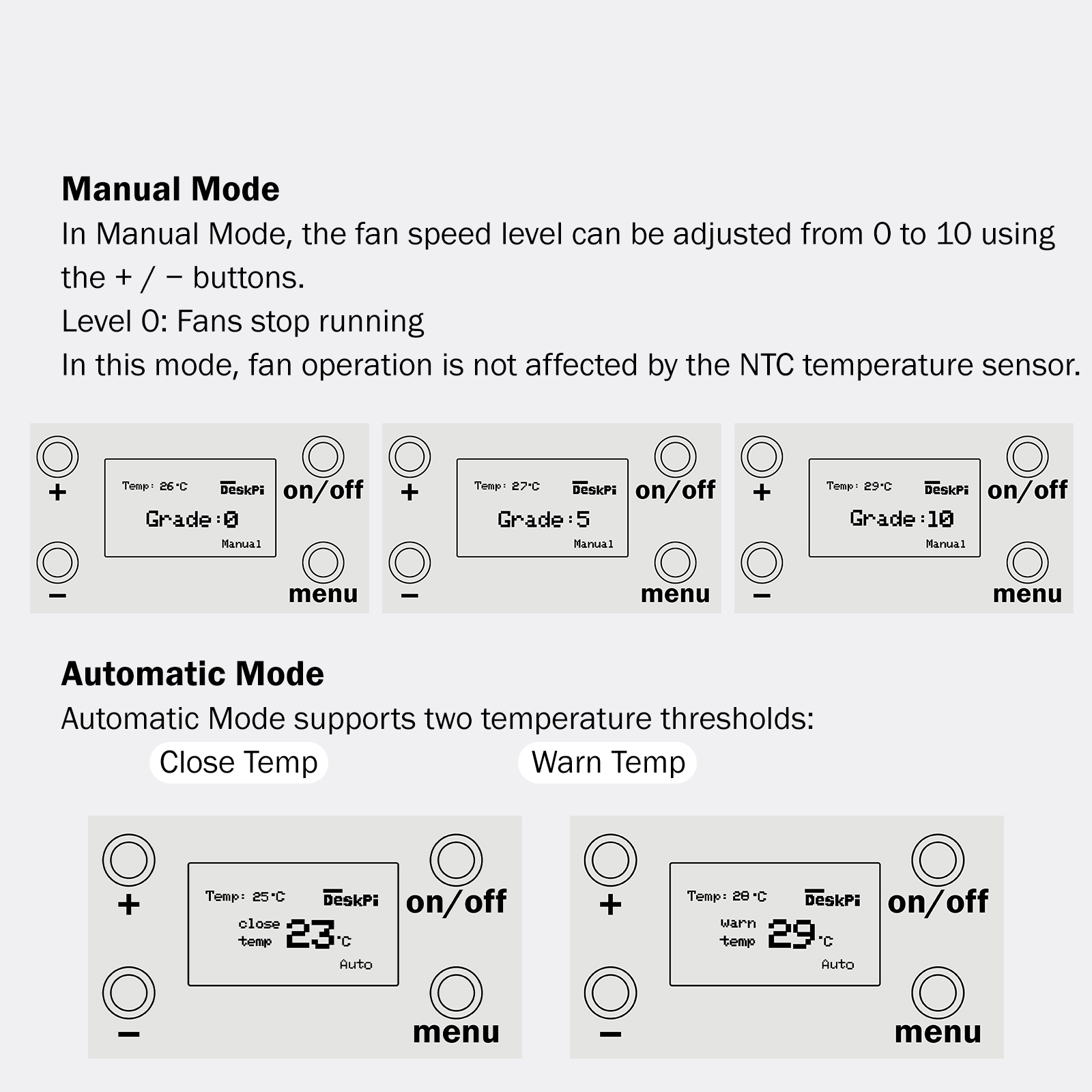
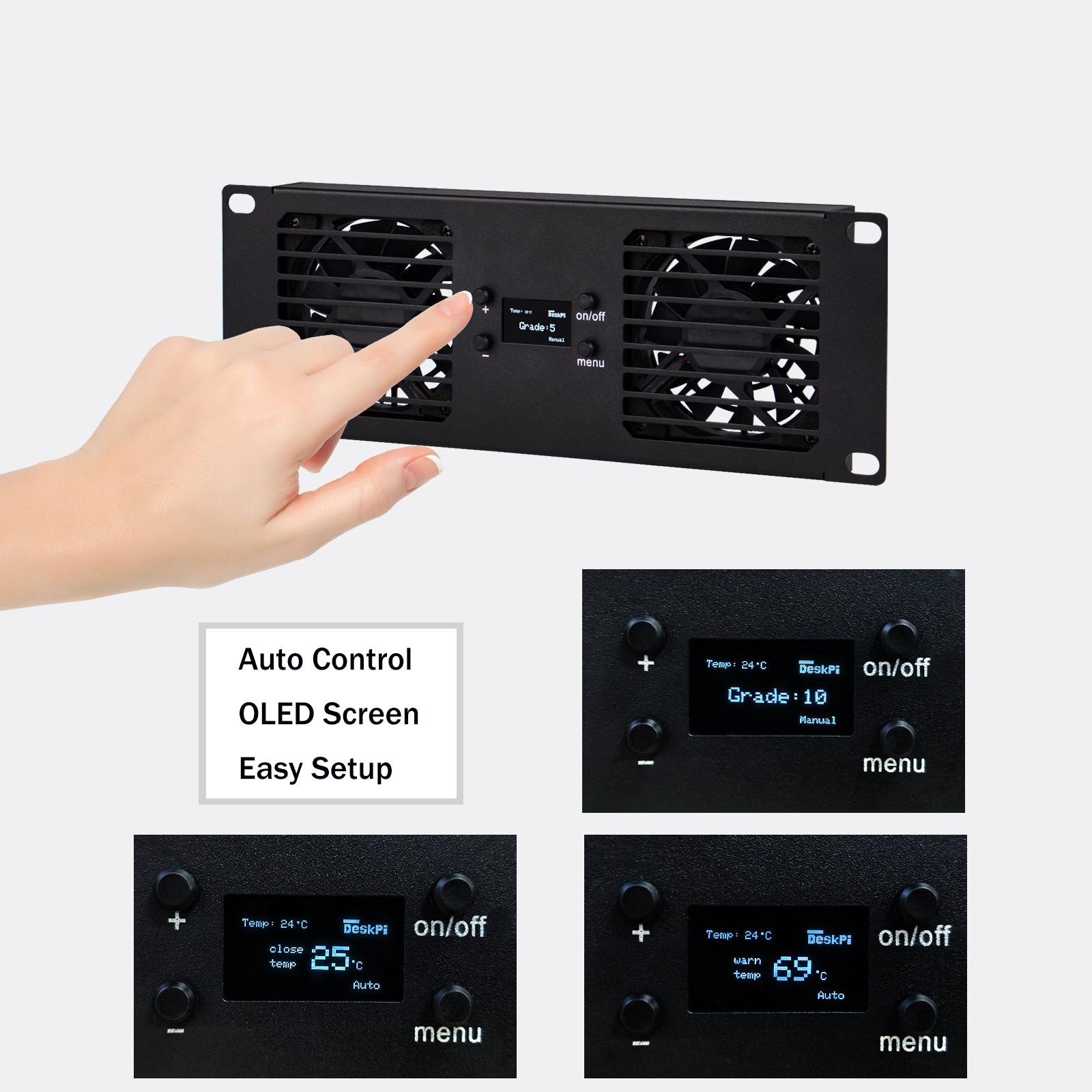
Fan Operation Logic
When the temperature is below Close Temp, the fans stop running.
When the temperature is between Close Temp and `Warn Temp, fan speed is
automatically adjusted according to temperature.
PS:
Warn TempmeansWarnning temperature
When the temperature is above Warn Temp, the fans operate at maximum speed, and the display flashes to indicate an alarm condition.
If the NTC temperature sensor is not connected, the fans will not operate in Automatic Mode.
Temperature Measurement Range
Temperature sampling range: 0–100 °C
Below this range, the display shows –273 °C Above this range, the display shows 273 °C
Noise and Operating Environment
This product is designed with cooling performance as the primary objective.
During operation at medium to high fan speed levels, a certain level of fan noise is normal.
It is recommended to install and operate the product in rack cabinets, equipment rooms, or other professional application environments.
Precautions
Do not operate the device with airflow vents blocked.
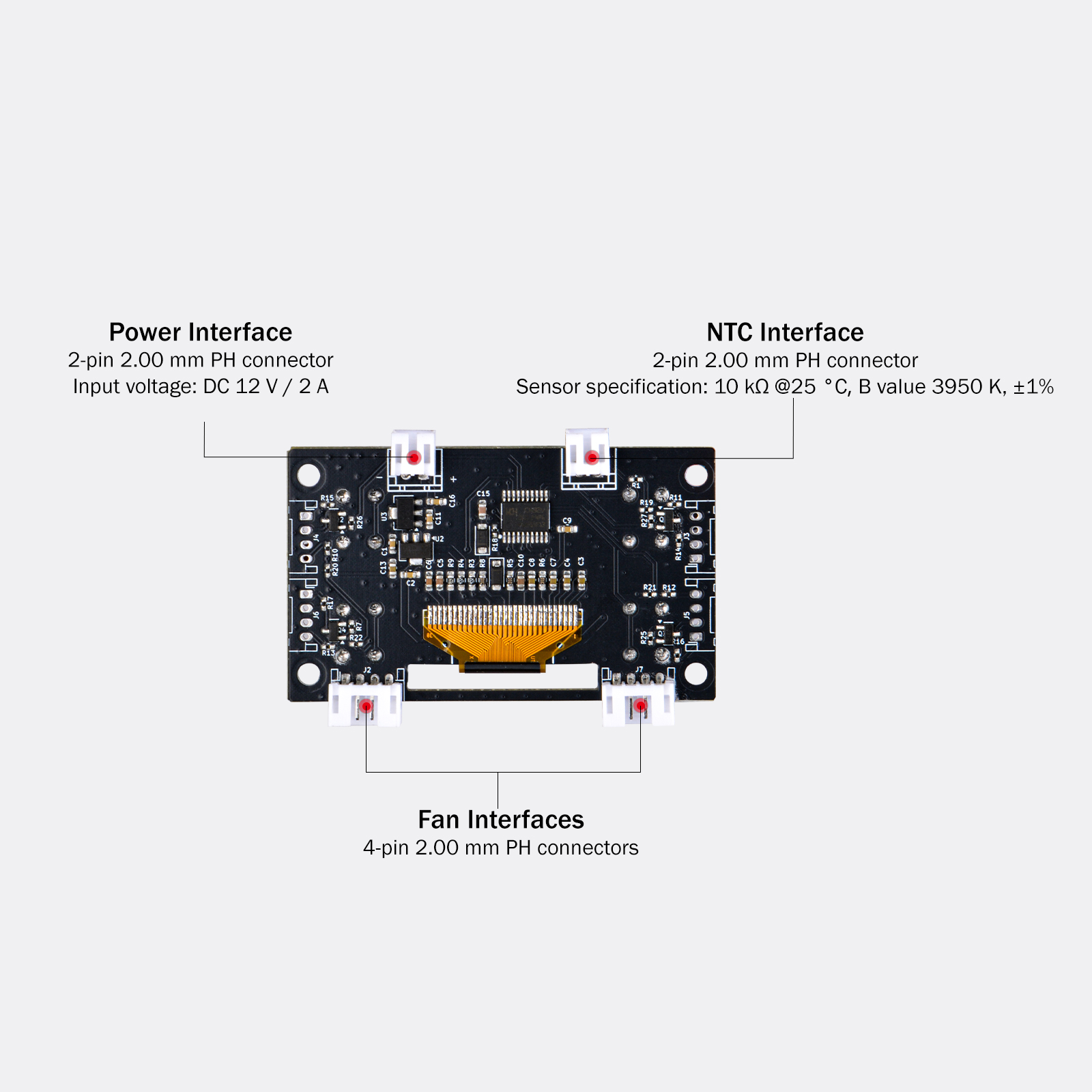
Ensure the power supply voltage meets the DC 12V requirement.
Ensure the device is securely mounted before operation.
Disconnect power before installation or maintenance.
Tech & Supports
- If you have any questions about our products, please contact us at
support@deskpi.com.